


You did the responsible thing. You met with the attorney, signed the will and the trust and the powers of attorney, and paid real money for the binder that now sits on the shelf.
So here’s an uncomfortable question: if you died tomorrow, could your spouse actually get into anything?
The bank. The bills. Your email. Your phone.
For most households the honest answer is no. Because an estate plan tells your family what they inherit—it doesn’t get them into a single account. The binder can transfer everything you own without being able to log into any of it.
I fixed this in my own household with a simple system that took one afternoon and didn’t require an attorney.
Here’s how it works.
What locked out actually looks like
Here’s what happens when a spouse can’t get in.
Every institution runs its own process for a death, and every process wants a certified death certificate, its own forms, and sometimes a notary. That could be weeks of waiting per account, and that’s only the accounts they know about.
Meanwhile, life doesn’t pause. The mortgage still drafts, the electric bill still comes due, and the insurance policy that protects the family sits behind a login nobody has.
And here’s the part that surprises people: even knowing a password isn’t enough anymore, because most accounts text a verification code to prove it’s really you. That code goes to your phone. Which is locked.
Grief is heavy enough. Paperwork on top of it is a weight your family never needed to carry.
Here’s the solution.
Layer one: your phone and everything on it
Apple built a tool for exactly this, and almost nobody turns it on.
It’s called Legacy Contact. Open Settings → tap your name → Sign-In & Security → Legacy Contact. Add your spouse and send them the access key by iMessage, and it saves to their Apple Account automatically.
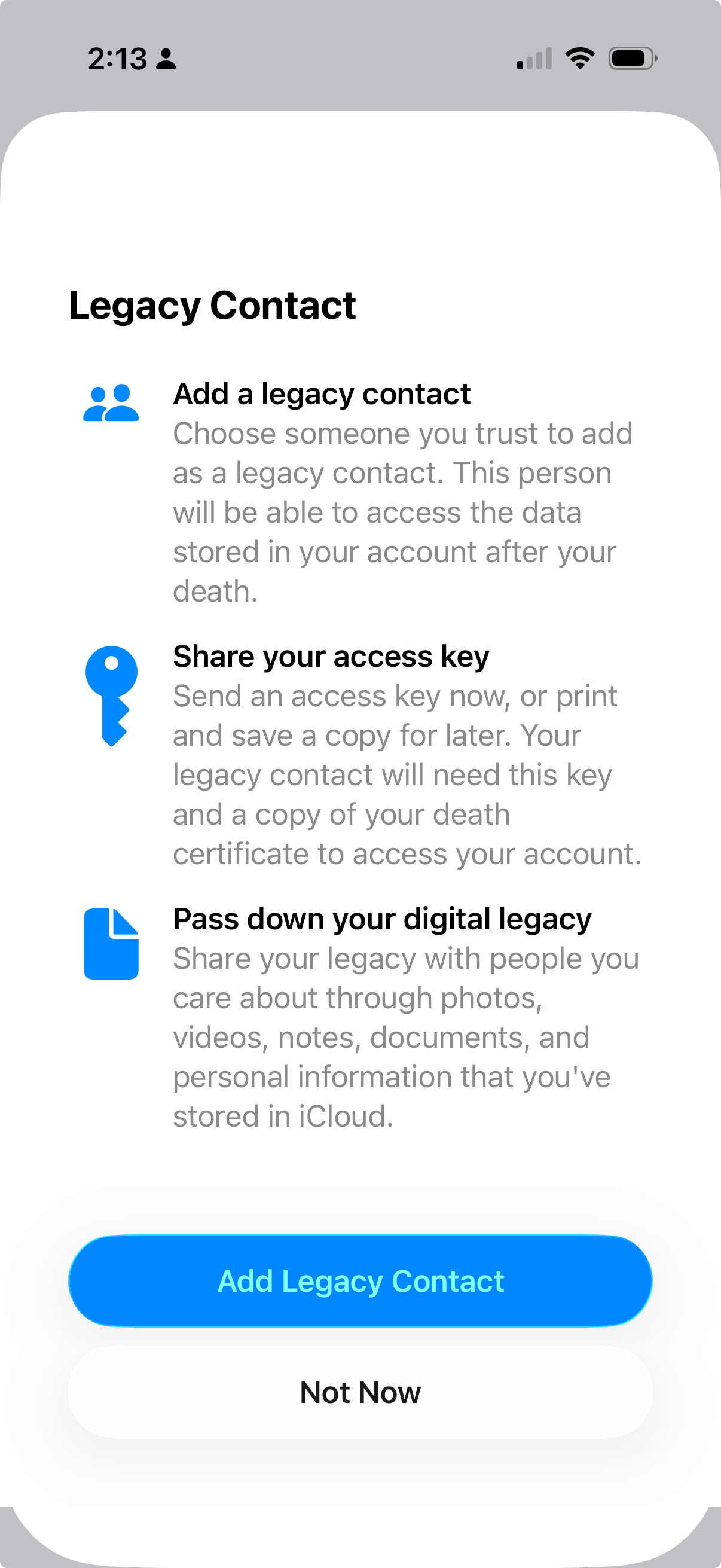
That key plus a death certificate unlocks:
Photos and videos
Files, notes, and contacts
Messages and mail
Device backups
Five minutes of setup, and you’ve handed over the family photo albums and the filing cabinet in one move.
Most people stop there and assume they’re covered.
But there’s a detail buried in Apple’s fine print: passwords are excluded from Legacy Contact—by design.
Your family gets the photos. Not the bank login.
Layer two: the logins they’d actually need
That’s why the second layer exists. Unlike the first, it works while you’re still alive.
Start by saving every password in one spot. I use Apple’s Passwords app, which puts every login and every password in a single vault, because no plan on earth can hand over credentials scattered across three browsers and a notebook. Consolidate first. (If you’re a Chrome user like me, install Apple’s Passwords extension and turn off Chrome’s password saving.)
Then create a Shared Password Group. In the Passwords app, tap Folder + → choose New Shared Group → name it Household Essentials → add your spouse.
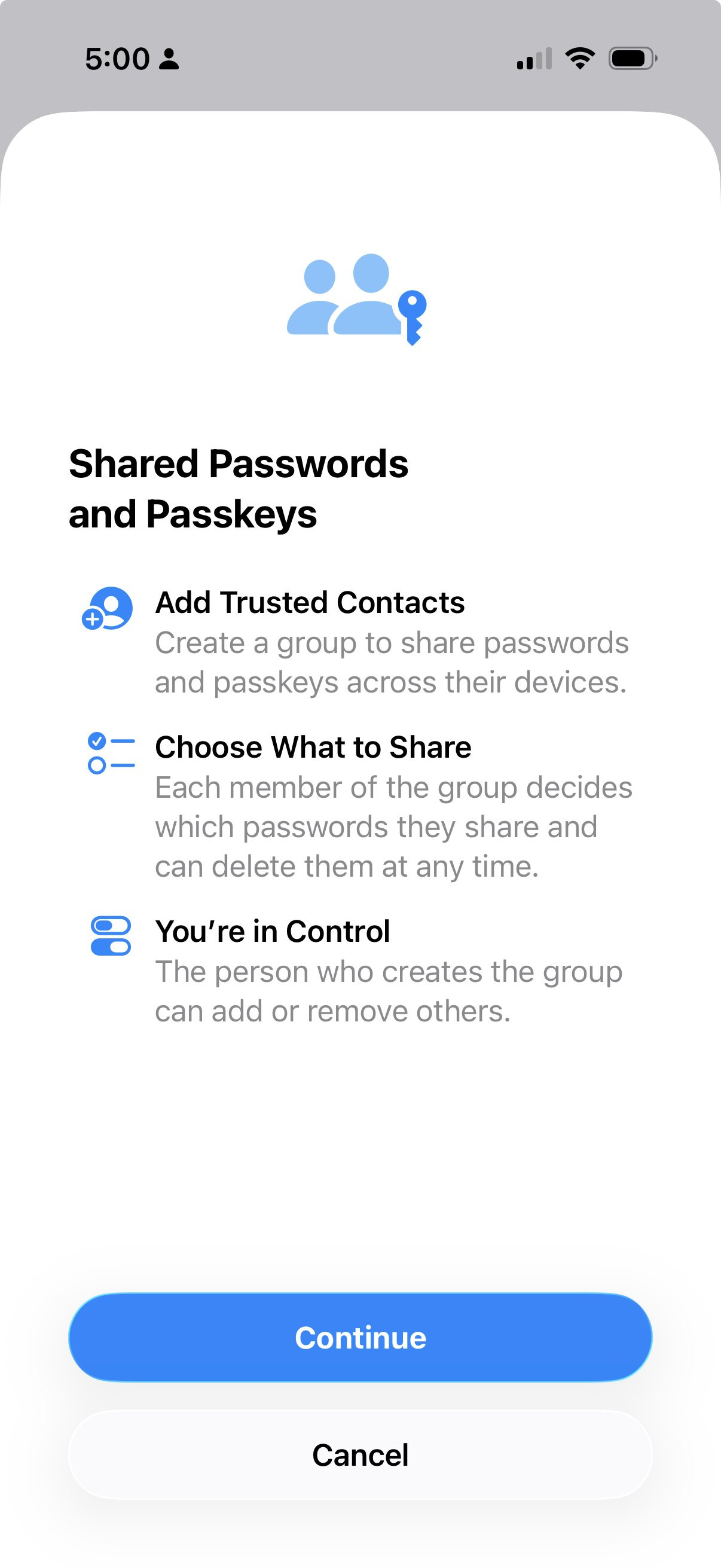
Now the filter, because this is where most people overthink it. Your family doesn’t need access to every account you’ve ever opened. They need the essentials: whatever one of you pays and both of you rely on. In my house, that means the bank, the mortgage, the utilities, and the insurance. They don’t need the rest.
Shared groups sync live and stay end-to-end encrypted, so when you update a password tonight, their copy updates too. No death certificate. No waiting on anyone’s process. And for the accounts that text a verification code, add your spouse’s number as a backup while you’re both here to do it.
Access in minutes, not months.
The one-page map
The passwords open the doors, but your family still needs the map.
Write one page: every account, every insurance policy, every recurring bill, and where each one lives. Institutions and account types only, with no passwords on this page.
Print two copies. One goes with your estate documents, and one goes where your spouse can actually find it.
Then do the step almost everyone skips: tell them it exists.
A list nobody knows about protects no one.
That’s it.
The binder on the shelf still matters. Keep it current, because it does the job it was built for.
But the estate plan was never the whole plan. One afternoon of setup does what the documents can’t: it gets the person you love through the login screen on the worst week of their life.
That’s the whole system: a phone they can unlock, the essentials they can open, and a map that tells them where everything lives.
You already suspected your household runs on one person’s logins. You were right. Now you’re the one who fixed it.
Thanks for reading. See you next week.
— Ryan


Whenever you’re ready, there are 2 other ways we can help you:
Join The Opulus Method Newsletter — Every Tuesday, I share strategies that help high-income millennials build wealth without sacrificing their life. Join 4,000+ readers.
Work With Us 1-on-1 — We’ll build your personalized strategy to cut your taxes, maximize your income, and grow your wealth month after month. You focus on living your life. We handle the financial strategy and execution.
Opulus, LLC (“Opulus”) is a registered investment advisor in Pennsylvania and other jurisdictions where exempted. Registration as an investment advisor does not imply any specific level of skill or training.
The content of this newsletter is for informational purposes only and does not constitute financial, tax, legal, or accounting advice. It is not an offer or solicitation to buy or sell any securities or investments, nor does it endorse any specific company, security, or investment strategy. Readers should not rely on this content as the sole basis for any investment or financial decisions.
Past performance is not indicative of future results. Investing involves risks, including the potential loss of principal. There is no guarantee that any investment strategies discussed will result in profits or avoid losses.
All information is provided “as-is” without any warranties, express or implied. Opulus does not warrant the accuracy, completeness, or reliability of the information presented. Opinions expressed are those of the authors, Ryan Greiser and Francis Walsh, and are subject to change without notice.
Opulus is not responsible for any errors or omissions, nor for any direct, indirect, or consequential damages resulting from the use or reliance on this information. Use of the content is at your own risk. This content is not intended as an offer or solicitation in any jurisdiction where such an offer or solicitation would be illegal.
I just did this but not digital. Our life is fairly simple so I bought a notebook and wrote everything down for my husband in case I go first. A page for each bill, account #, how it is paid and if there is an online account with password. Medical info, passwords, where important papers are kept, banking. Credit card info too. We have one daughter and figured this would be easier. We're in our 80’s and should have done this sooner.
And, as my father did, leave detailed instructions about the weekly/monthly/annual maintenance tasks that you do, including things as simple as " turn off the water valve in the basement before changing the filter in the kitchen".